How To Pay A Lightning Invoice With FixedFloat

Follow the screenshots below. Have your Lightning invoice ready before you start.

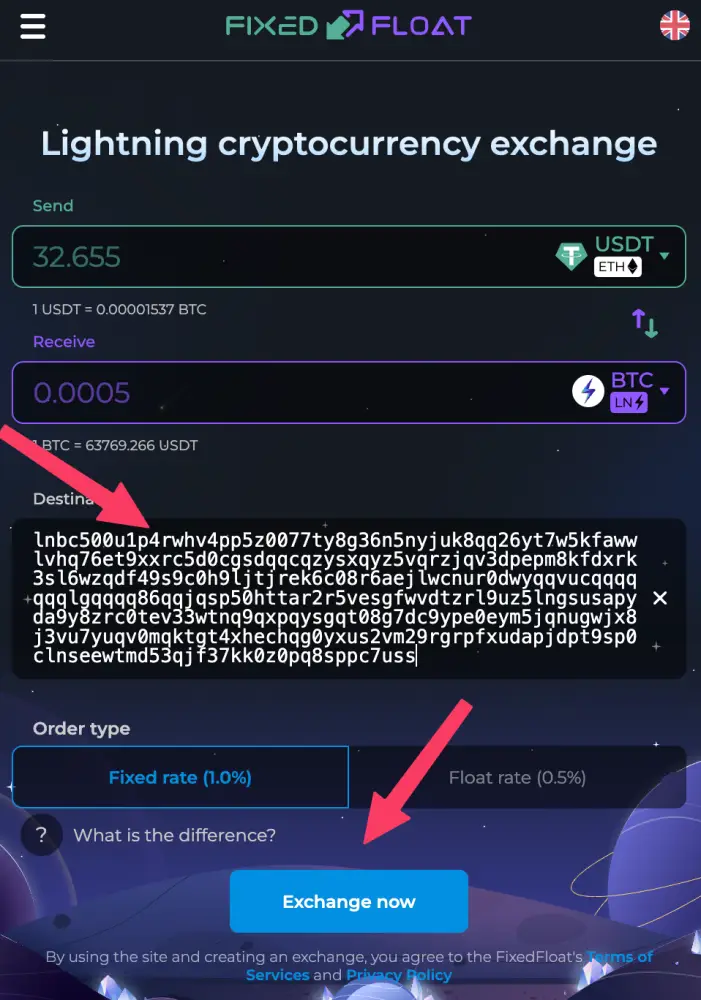
Step 1 A Lightning invoice is a long string of characters that looks like lnbc...

Copy the invoice to your clipboard.
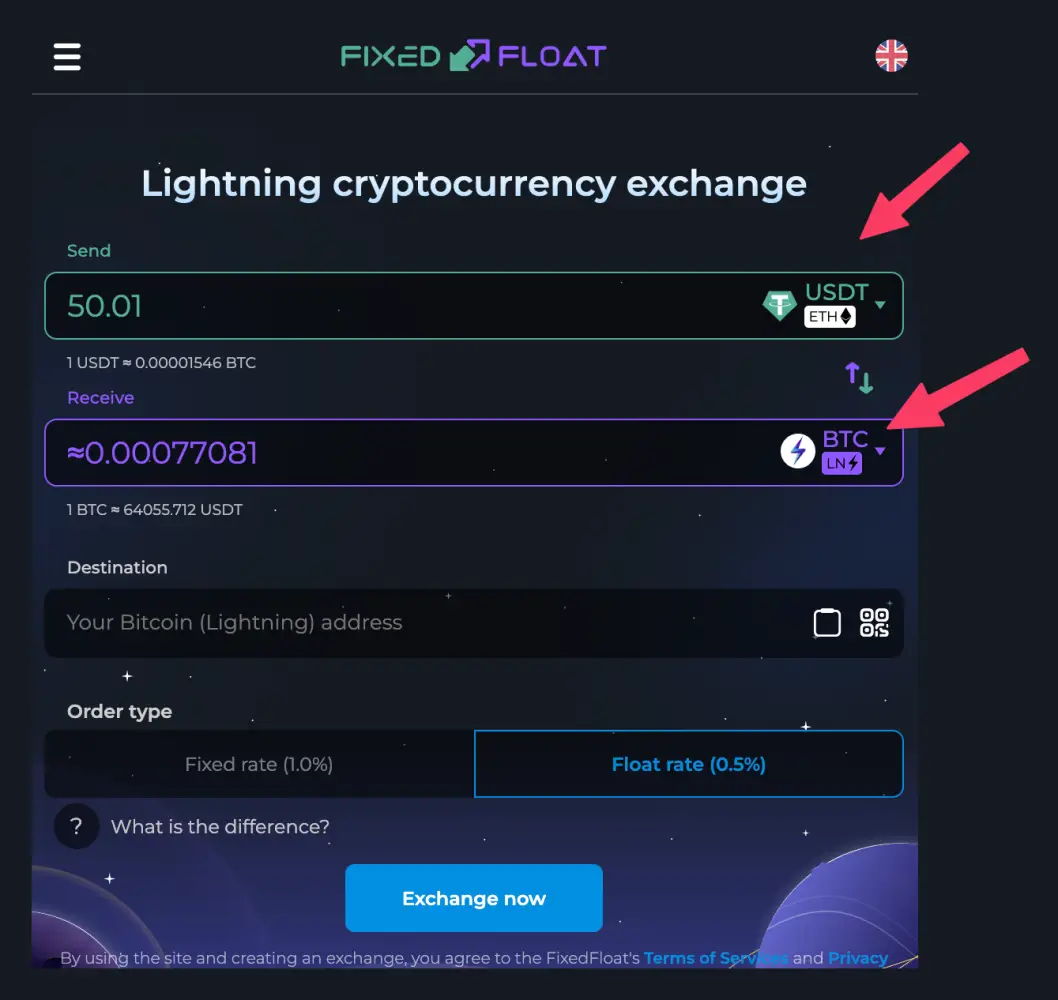
FixedFloat step 2: Choose USDT to send, then BTC Lightning to receive
Step 2 Choose USDT to send, then BTC Lightning to receive
FixedFloat step 3: Paste the Lightning invoice, then tap Exchange now
Step 3 Paste the Lightning invoice, then tap Exchange now